
Testimonial Card Generator
Turn customer reviews into polished social proof graphics at 1200 × 630 — made for sharing wins on social media, landing pages and pitch decks. Paste the quote, set the rating, download a PNG. Free forever, no account needed, and your words never leave your browser.
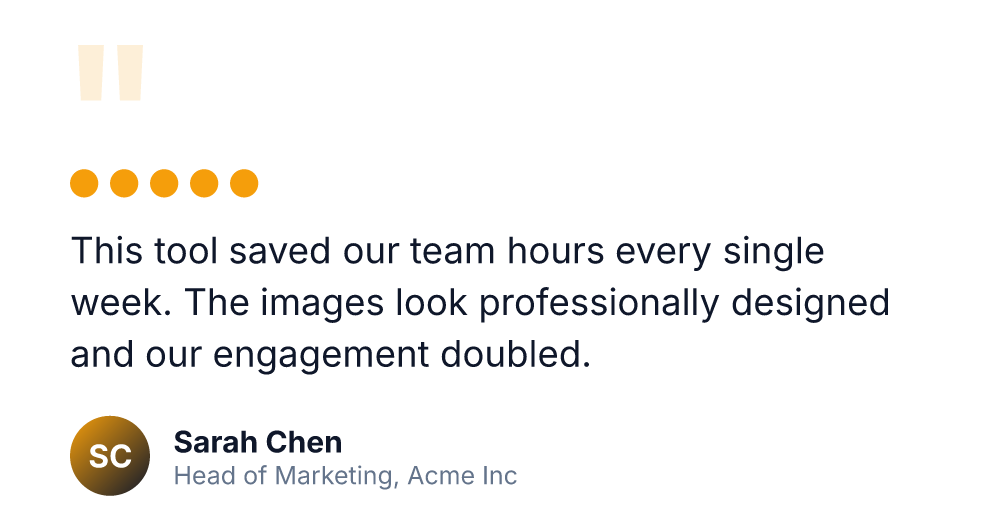
Rendered at 1200 × 630 px. Everything runs in your browser — your text never leaves this page.
How it works
- Paste the quote — the customer's words, plus their name and role.
- Set the rating — 1 to 5 stars and any accent color, previewed live.
- Download the PNG — a crisp 1200 × 630 file, ready to post.
Specifications
| Output size | 1200 × 630 px · 1.91:1 — the same size as an OG link-preview image |
|---|---|
| Formats | PNG · SVG |
| Rating | 1 to 5 stars, shown on the card |
| Avatar | Initials circle generated from the customer name — no photo or logo upload in the current editor |
| Double duty | At 1200 × 630, a card can also serve as the og:image of the page it appears on |
| Designs | Eight testimonial styles in the template library, each opening in the editor pre-styled |
| Rendering | Entirely in your browser — quotes are never uploaded |
| Cost | Free, unlimited, no watermark, no account |
Good to know
Every testimonial card exports at 1200 × 630 px — the same size as an OG link-preview image. That one decision makes a single card work everywhere: embedded on a landing page, posted to social feeds, or set as the link preview of the page it lives on. Downloads are PNG and SVG, the rating runs from 1 to 5 stars, and the avatar is an initials circle from the customer's name — no photo or logo uploads to keep consistent.
Short quotes work best. One or two sentences stay readable at feed size, even on a phone. If a customer wrote a long review, trim it to the single most impactful passage — but keep their exact words. A testimonial should never be rewritten to sound better: the customer's real phrasing is what makes social proof credible, and it is the part marketing copy cannot fake.
Frequently asked questions
What size are the generated cards?
Every card is rendered at 1200 × 630 pixels — the standard social preview size, so it looks sharp on X, LinkedIn, Facebook and in link previews.
Is it really free? Do I need an account?
Yes — free, unlimited, no sign-up and no watermark. Rendering happens on your own device, so there is nothing to pay for and nothing to upload.
Can I automate testimonial graphics with an API?
Not yet. Click the Get API button above the preview to see what the future API request will look like and join the beta waitlist for 500 free credits per month at launch — great for auto-posting reviews from tools like Stripe or G2.
Do I need my customer's permission?
Yes — always ask first, and publish their real words with their name and role. A genuine, attributed review is far more credible than a polished paraphrase, and fabricating testimonials destroys trust the moment it is discovered.
Where should I use a testimonial card?
Put cards where hesitation happens: on your landing page near the signup or pricing section, in social posts on LinkedIn and X, inside pitch decks, and on case study pages that support a buying decision.
Can I add my company logo or the customer's photo?
Not in the current editor. Cards use an initials avatar generated from the customer name, plus your accent color. The constraint is deliberate — it keeps every card consistent and readable, with no blurry or misaligned uploads.
Next steps
More free tools
OG Image Generator · Certificate Maker · Tweet to Image · Podcast Cover Maker · YouTube Thumbnail Maker · Color Palette Generator