
Free Certificate Maker
Design printable certificates at A4 landscape ratio — for course completions, awards and team recognition. Type the recipient's name, pick a border style, download a PNG. Free forever, no account needed, and your words never leave your browser.
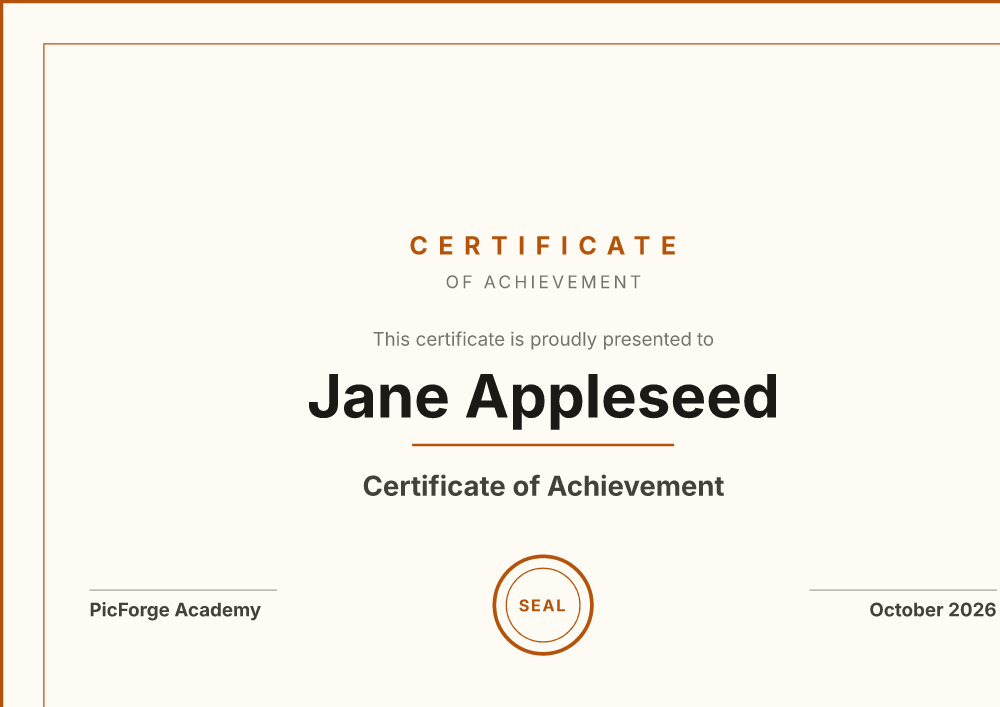
Rendered at 1600 × 1131 px. Everything runs in your browser — your text never leaves this page.
How it works
- Fill in the details — recipient, award title, issuer and date.
- Pick a style — three border styles and any accent color, previewed live.
- Download the PNG — a crisp 1600 × 1131 file, ready to print or email.
Specifications
| Output size | 1600 × 1131 px · A4 landscape ratio (1.414:1) |
|---|---|
| Paper | A4 landscape, 297 × 210 mm |
| Formats | PNG (screen, email, sharing) · SVG (vector — scales to any print size without pixelation) |
| Print resolution | PNG is about 137 DPI at full A4 width — fine for home and office printing; use the SVG for professional print work |
| Designs | Eight certificate styles in the template library, each opening in the editor pre-styled |
| Rendering | Entirely in your browser — names and details are never uploaded |
| Cost | Free, unlimited, no watermark, no account |
Good to know
Every certificate generated here renders at exactly 1600 × 1131 px, matching the A4 landscape ratio (297 × 210 mm, 1.414:1). Downloads come as PNG and SVG. Because SVG is vector, it scales to any print size without pixelation, preserving crisp borders, emblems and typography on any paper stock. The PNG, by contrast, works out to about 137 DPI printed at full A4 width — sharp on screen and fine for home and office printing, but below the 300 DPI professional print shops prefer. For commercial print, supply the SVG file to your print vendor.
Printing on your own hardware, three settings matter:
- Orientation: print landscape with fit-to-page enabled, so borders are never clipped.
- Margins: keep text away from the very edge — most home printers cannot print to the paper edge, and borderless printing is rare.
- Paper: heavier cardstock (around 180–250 gsm) from the manual feed tray gives certificates a more substantial feel.
For virtual events, email attachments and online sharing, the PNG is the instant-compatible choice.
Frequently asked questions
What size are the generated certificates?
Every certificate is rendered at 1600 × 1131 pixels — the exact A4 landscape ratio (297 × 210 mm), so it fits standard paper and frames.
Is it really free? Do I need an account?
Yes — free, unlimited, no sign-up and no watermark. Rendering happens on your own device, so there is nothing to pay for and nothing to upload.
Can I automate certificate generation with an API?
Not yet. Click the Get API button above the preview to see what the future API request will look like and join the beta waitlist for 500 free credits per month at launch — ideal for bulk-issuing course certificates.
How do I print my certificate?
Open the downloaded file and print with landscape orientation and fit-to-page enabled so nothing is clipped. For physical printing, choose the SVG file for crisp scaling at any size; keep the PNG for quick email delivery and on-screen sharing.
What wording should a certificate include?
Keep it short. A complete certificate needs five elements: the recipient name, the achievement or course title, the issuing organization or instructor, the date, and a signature line. Anything more crowds the design and weakens the formal look.
Can I make a portrait (vertical) certificate?
No — this maker is landscape A4 only for now. If you need a vertical design, a general-purpose design tool is the better fit today.
Next steps
More free tools
OG Image Generator · Tweet to Image · Testimonial Cards · Podcast Cover Maker · YouTube Thumbnail Maker · Color Palette Generator