Template library · Creators
Magazine Frame — YouTube Thumbnail Maker template
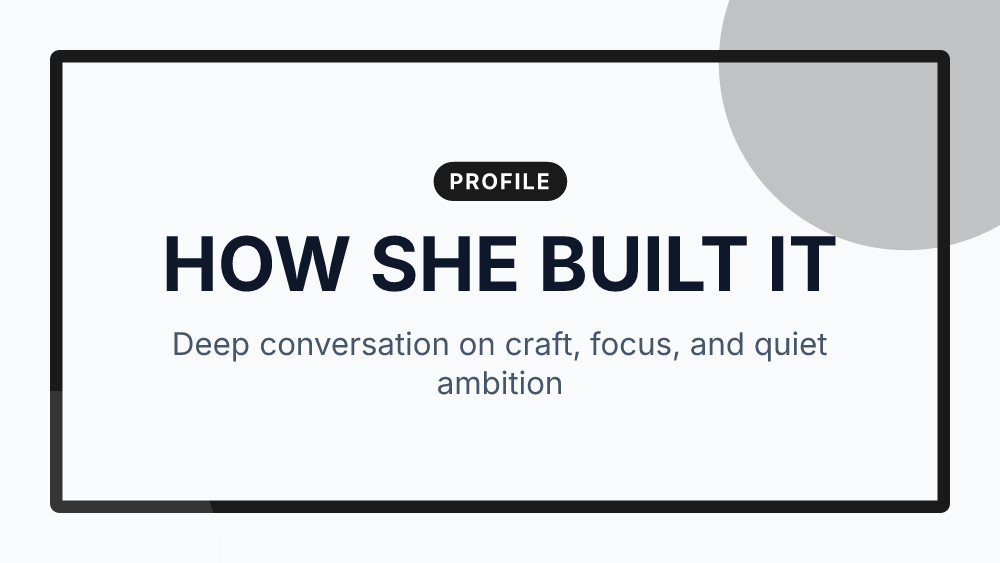
Magazine Frame borrows the grammar of print covers: a disciplined ink border on paper white, one centered name, nothing competing with it. The frame itself is the credibility signal — this is a feature story, not a clip.
Best for
- Founder profiles
- Long-form podcast discussions
- In-depth creative interviews
Specifications
- Output size: 1280 × 720 px
- Formats: PNG and SVG download
- Cost: Free, unlimited, no account
- Privacy: renders locally in your browser
- YouTube rules: minimum width 640 px, file under 2 MB, PNG/JPG/GIF/BMP accepted
- Legibility: designed for about 10% feed scale — oversized type, 3–5 word headlines
- Safe area: keep critical text out of the bottom-right corner, where YouTube overlays the duration badge
- Layouts: seven composition archetypes distilled from a 112-thumbnail study of viral videos — face + text split, giant stat, highlight bar, split screen, dark podcast stack
Tips for this style
- Maintain one single focus per thumbnail to prevent text and subject competition.
- Use monochrome ink tones to convey prestige, authority, and editorial depth.
- Keep the headline short — the frame eats width on both sides.
How to use it
- Click Use this template → — the editor opens with this style pre-loaded.
- Edit the text, colors and options. The preview updates live as you type.
- Download your PNG (or SVG). No sign-up, no watermark, free forever.
Next step: Make the matching share card for the video link — OG Image Generator →