Template library · Social
Violet Pop — Tweet to Image template
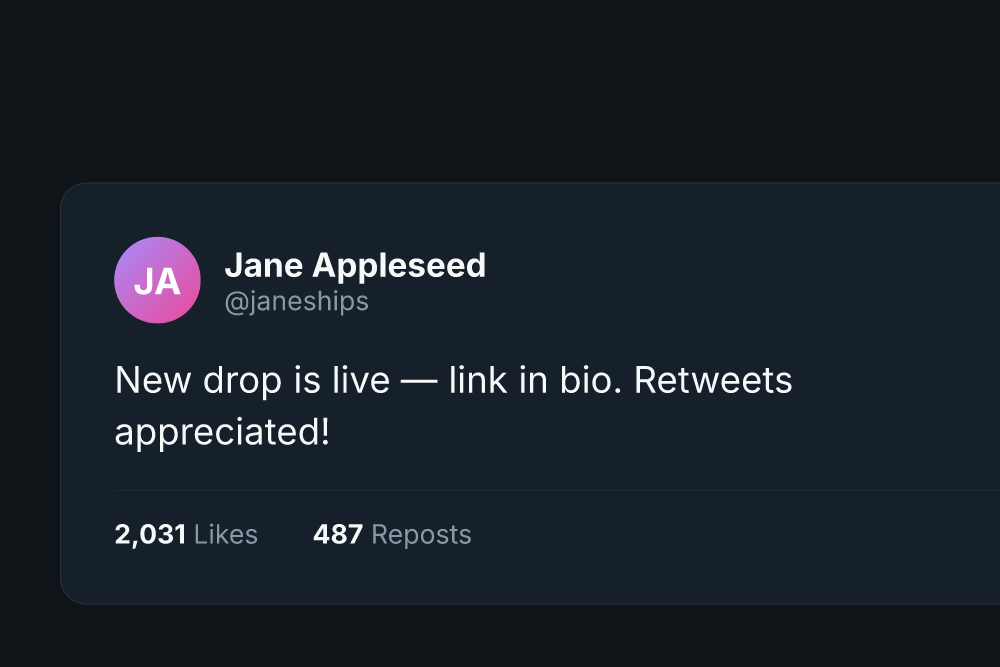
Violet Pop keeps the classic dark card but swaps the avatar to a violet-pink gradient. A small change with outsized personality — the card feels creative without losing readability.
Best for
- Creator and artist announcements
- Design community posts
- Playful brand voices
Specifications
- Output size: 1200 × 800 px
- Formats: PNG and SVG download
- Cost: Free, unlimited, no account
- Privacy: renders locally in your browser
- Input: up to 280 characters, typed or pasted by you — nothing is fetched from X
- Card type: a recreated card, not an app screenshot — no UI chrome, timestamps or counters
- Avatar: initials circle generated from the author name, no photo upload
Tips for this style
- Colored avatars become a recognizable signature.
- Violet reads creative but professional.
- Keep metrics on — the look invites engagement.
How to use it
- Click Use this template → — the editor opens with this style pre-loaded.
- Edit the text, colors and options. The preview updates live as you type.
- Download your PNG (or SVG). No sign-up, no watermark, free forever.
Next step: See how this compares with screenshots and apps — tweet-to-image methods compared →